Put AI to work on
Ready-to-run Claude skills, templates and courses from the AI Fire team. Install in minutes and ship real work this week.
“If you want to actually build with AI instead of just reading about it, this is the place to be. Absolutely worth the upgrade.”
Alex Mercer, Growth Marketer & AI Consultant · review published on aifire.co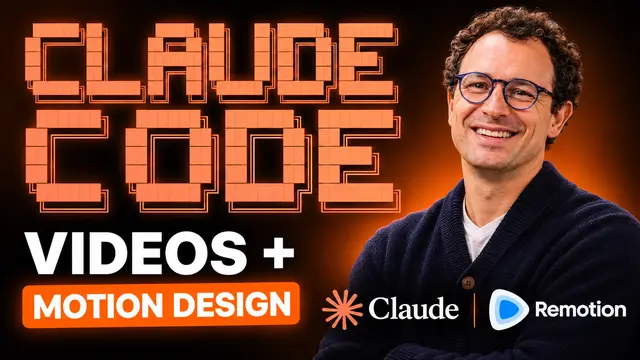 Course: Claude Code + Remotion videos
Trusted by 75,000+ professionalsReaders from Google, Meta, Microsoft, Tesla and more read AI Fire.
About AI Fire
Your daily hub for practical AI
AI Fire is an AI education brand for founders, creators and small teams. We test new AI tools every day and turn what works into guides, courses and ready-to-run tools, so you spend your time using AI, not researching it.
Master AI before AI masters you
Daily newsletter
Practical AI guides in your inbox, read by 75,000+ professionals.
Read free →AI Fire Academy
500+ tutorials, 700+ workflows, courses and member deals.
See plans →Community
Courses, livestreams and Q&A with other AI builders.
Visit community →YouTube
Free walkthroughs of the newest AI tools and workflows.
Watch free →Every video skill previews first, keeps your source files untouched and asks before replacing anything.
Use a skill to get the result today, or take the course behind it to understand the workflow.
Made by the people who publish AI Fire every day for 75,000+ readers.
Picked for you
Start with the 3 tools that fit your work
Choose who you are. We match three tools and a course to your work, with the bundle discount already applied.
Claude Code Video Skills
You record, or just type a topic. Claude Code makes the video.
Pick a skill, hand it your file or topic with one command, and get a finished video with a preview before anything is exported.
Pick a skill
Edit footage you shot, or create a video from a topic, script or real photos.
Give it a file and one command
Run the skill in Claude Code on your computer. It plans the cuts, scenes and captions.
Review, then export
Check the preview, approve, and get a new file. Your originals stay untouched.
What the skills handle
- Cutting, captions, zooms and transitions
- Storyboards, layouts and motion
- Local AI voice-over and synced captions
- Vertical and horizontal exports
What still needs you
- Approving cuts and chapters on long videos
- B-roll, music and fonts you have rights to
- Checking any claim the script marks as unverified
- A final look before you publish
AI templates
Systems you duplicate and use today
6 templates are free when you join the AI Fire newsletter. 2 premium systems are for sale. All open in Excel, Google Sheets or Word, with sample data and a Start Here tab.
Watch it work first
Free tutorials, linked to the tool behind them
See the workflow on the AI Fire YouTube channel, then get the skill, template or course that runs it.
Reader reviews
What readers say
Reviews quoted word for word as published on aifire.co/upgrade.
Courses
Go deeper, step by step
10 on-demand courses in the AI Fire community. All 9 premium courses are included in Academy Premium.
AI Fire Academy
One membership for everything we teach
Courses, tutorials, the full prompt vault and member deals in one place.
Spark
For learners getting started with AI.
- 500+ AI tutorials and posts
- 4 AI courses, including AI Mastery AZ
- Starter prompt vault
- Weekly AI digest
- 2 private community spaces
- All public AI deals
Premium
Black Friday 25% offFor builders who want every course, playbook and deal.
- Everything in Spark
- All 9 premium AI courses, unlocked
- Make-money-with-AI playbooks and full prompt vault
- Private premium deals, refreshed weekly
- Video and livestream tutorials
- Autonomous agents: n8n, APIs, open-source frameworks
- 1-on-1 strategy help and priority support
FAQ
Questions, answered
What do I need to run the video skills?
Claude Code on your computer. Some skills also use a local AI voice and a transcription model, which the setup guide installs. Speed and voice quality depend on your machine.
Will a skill change my original video?
No. Every skill keeps your source files untouched, shows a preview first, and exports to a new folder. It asks before deleting or replacing anything.
Edit skills or create skills: which do I need?
If you already film yourself, start with the Edit pack (skills 01 to 04). If you want videos without filming, start with the Create pack (skills 05 to 11).
How do I get my files?
Right after checkout you get a download page and an email with your files and the install guide. You can download them again any time from your library.
Are the free templates really free?
Yes. Enter your email and the download starts right away. You also join the AI Fire newsletter, and you can unsubscribe anytime. The premium systems are sold separately.
Are the courses included in Premium?
Yes. Academy Premium unlocks all 9 premium courses. Spark includes 4 courses, among them AI Mastery AZ.
How does the bundle discount work?
Add any 2 single skills to your cart and save 15%. Add 3 or more and save 25%. The discount is applied automatically. Ready-made packs already include their discount.
Free
Start free today
Join the daily AI Fire newsletter and get two free tools:
- AI Tool Stack Tracker (Sheets, lite)
- Guide: install your first Claude Code skill in 5 minutes
Free forever. Unsubscribe in one click. Join 75,000+ readers.